

- July 7, 2026
- Tejhaksh
- 0 Comments
- Uncategorized, WordPress SEO, WordPress Site
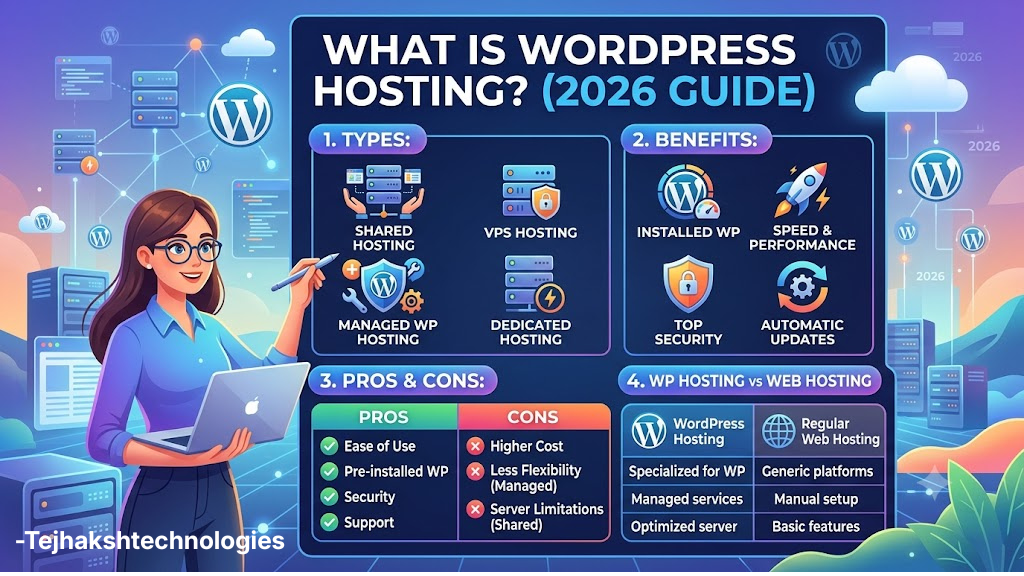
What Is WordPress Hosting? Types, Benefits, Pros & Cons + WordPress Hosting vs Web Hosting (2026 Guide)
Introduction
If you are planning to launch your website in 2026, the first and most crucial step is choosing the right hosting. Today, over 40% of the world’s websites are built on WordPress, so new users often wonder—what exactly is WordPress hosting?
Whether you want to create a personal blog, a business website, an online portfolio, a news site, or an e-commerce store, the right WordPress hosting plays a vital role in enhancing your website’s speed, security, performance, and SEO.
In this simple yet comprehensive guide, we will explore what WordPress hosting is, its main types, why you should choose it, its pros and cons, how it is managed, and the difference between WordPress hosting and web hosting. We will also provide information on options like WordPress hosting in India and free WordPress hosting, helping you select the right hosting plan based on your specific needs and budget.
This version is more SEO-friendly, user-friendly, and engaging for the start of a blog.
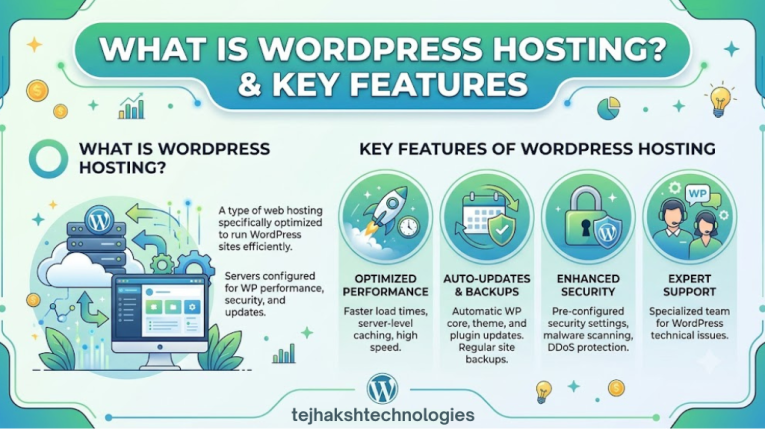
What is WordPress Hosting?
WordPress hosting is a web hosting service specifically designed to run WordPress websites faster, more securely, and more efficiently. Unlike standard web hosting, the servers here are pre-optimized for WordPress, which enhances your website’s speed and performance.
With this type of hosting, you do not need to manually configure technical server settings or install various optimization tools yourself. The hosting company handles most of the setup, ensuring your WordPress website runs smoothly and without hassle.
Key Features of WordPress Hosting
- One-Click WordPress Installation – Install WordPress with just a single click.
- Automatic WordPress Updates – New WordPress updates are installed automatically.
- Enhanced Security – Advanced security features protect the website against hacking, viruses, and malware.
- Daily Backup – Regular website backups ensure data can be easily recovered if needed.
- Improved Performance – Databases and servers are optimized for WordPress, resulting in faster website operation.
- Fast Loading Speed – Caching and other technologies help the website load quickly.
- WordPress Expert Support – Expert assistance is available for any WordPress-related issues.
- Built-in Caching – Pre-configured caching features help boost website speed.
Thanks to these features, WordPress hosting is considered an excellent choice for new bloggers, small businesses, online stores, and professional website owners. If you want a website that is fast, secure, and easy to manage, WordPress hosting is a great option.
Why Choose WordPress Hosting?
If you are planning to build a website on WordPress, you might wonder why you should choose WordPress Hosting over standard web hosting. The straightforward answer is—better speed, enhanced security, easier management, and superior performance.
WordPress Hosting is specifically designed for WordPress websites, ensuring your site runs fast, securely, and smoothly without technical hassles.
1. Faster Website Speed
WordPress Hosting servers are pre-optimized for WordPress. This allows your website to load quickly, providing a better experience for visitors and boosting overall performance.
2. Robust Security
Most WordPress Hosting companies offer advanced security features to keep your website safe, such as:
- Malware scanning
- Firewall protection
- Automatic security updates
- DDoS attack protection
- Secure login systems
These features provide better protection against hacking and cyber-attacks.
3. Automatic Updates
With WordPress Hosting, the WordPress core, security patches, and other essential updates are installed automatically. This keeps your website up-to-date and minimizes security risks.
4. Easy Website Management
WordPress Hosting is an excellent choice even if you have limited technical knowledge. The hosting company handles server maintenance, updates, backups, and other technical tasks, allowing you to focus entirely on your website’s content and business.
5. SEO Benefits
Fast-loading websites offer a better user experience. Since website speed is a key ranking factor for Google, good WordPress Hosting can help improve your SEO performance.
6. Regular Backups
Most WordPress Hosting providers perform daily or weekly backups of your website. If any issues arise, you can easily recover your data.
7. Expert WordPress Support
If your website encounters any technical issues related to WordPress, the WordPress hosting support team quickly identifies and resolves them. This eliminates the need for you to search for a separate technical expert.
Types of WordPress Hosting
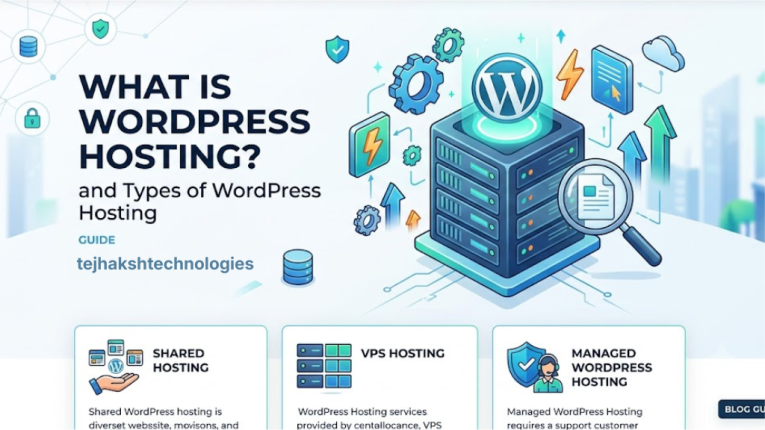
Every website has unique needs. Some require low-cost hosting, while others prioritize high speed and enhanced security. Consequently, there are various types of WordPress Hosting available. Choosing the right hosting depends on your website’s traffic, budget, and future requirements.
Let’s explore the main types of WordPress Hosting in simple terms.
1. Shared WordPress Hosting
Shared WordPress Hosting is the most affordable and popular option. In this setup, your website shares server resources with multiple other websites hosted on the same server. This keeps the cost low, making it an ideal choice for beginners.
Best suited for:
- New bloggers
- Personal blogs
- Small businesses
- Portfolio websites
- Low-traffic websites
Advantages
- Low cost
- Easy for beginners
- Quick setup
- Simple website management
Disadvantages
- Server resources are shared.
- Website speed may decrease during high traffic spikes.
2. Managed WordPress Hosting
If you want to avoid the technical responsibilities of managing a website, Managed WordPress Hosting is an excellent choice. The hosting provider handles most tasks, such as server maintenance, updates, security, backups, and performance optimization.
What does it include?
- Automatic updates
- Regular backups
- Advanced security
- Website monitoring
- Speed and performance optimization
Best suited for:
- Growing businesses
- Professional bloggers
- E-commerce websites
- Digital agencies
Pros
- Excellent speed and performance
- Enhanced security
- Expert WordPress support
- Freedom from technical hassles
Cons
- More expensive compared to other hosting options
- Limited control over server settings
3. VPS WordPress Hosting
In VPS (Virtual Private Server) hosting, you get dedicated resources on a virtual server. It is faster and more powerful than shared hosting.
Best suited for:
- Medium-sized businesses
- High-traffic websites
- Rapidly growing websites
Pros
- Better speed and performance
- Greater control
- Easily upgradable
- More secure than shared hosting
Cons
- May require technical knowledge.
- Costs are higher than shared hosting.
4. Cloud WordPress Hosting
In Cloud WordPress hosting, your website runs on a network of servers rather than a single server. If one server encounters an issue, another server immediately takes over. This increases the likelihood of the website remaining online at all times.
Best suited for:
- Rapidly growing websites
- Online stores
- High-traffic websites
Pros
- Better uptime
- Fast website speed
- Easily scalable during traffic spikes
- Highly reliable hosting
Cons
- Costs may vary based on usage.
- Can be somewhat complex for beginners.
5. Dedicated WordPress Hosting
In dedicated hosting, the entire server is reserved solely for your website. You do not have to share resources with any other website. It is considered the most powerful and premium hosting option.
Best suited for:
- Large companies
- Enterprise websites
- Large e-commerce stores
- High-traffic websites
Advantages
- Fastest speeds
- Full control over the server
- High level of security
- Excellent performance
Disadvantages
- Most expensive hosting
- May require technical knowledge for server management.
How is hosting managed?
When a new user considers purchasing hosting, a common question arises: how is the hosting actually managed?
The answer depends on the type of hosting you choose. Responsibilities for managing the website and server vary across different hosting plans. Let’s break this down in simple terms.
1. Hosting management in Shared Hosting
With Shared Hosting, the hosting company handles most of the technical tasks related to the server. You only need to focus on tasks related to your website.
What does the hosting company manage?
- Server hardware
- Network and internet connectivity
- Server maintenance and upkeep
- Basic security and technical updates
What do you need to manage?
- WordPress installation and setup
- Themes and plugins
- Website content
- General website settings
This option is ideal for those who want to launch a website without dealing with technical complexities.
2. Hosting management in Managed WordPress Hosting
In Managed WordPress Hosting, the hosting company handles almost all technical responsibilities. This makes it the best choice for those who want to focus solely on their website and business.
What does the hosting company handle?
- Automatic WordPress updates
- Website security
- Regular backups
- Caching and speed optimization
- Server monitoring
- Improving website performance
- Malware scanning and removal
This way, you don’t have to worry about the server, allowing you to dedicate your time to creating content, marketing, or growing your business.
3. Hosting management in VPS and Dedicated Hosting
With VPS (Virtual Private Server) and Dedicated Hosting, you gain greater control over the server. However, this also means that most technical responsibilities fall on you.
What do you need to manage?
- Server configuration
- Installing necessary software
- Website and server security
- Creating backups
- Optimizing speed and performance
However, if you choose Managed VPS or Managed Dedicated Hosting, the hosting company handles the majority of these technical tasks.
WordPress Hosting in India
The popularity of WordPress hosting in India has grown rapidly over the past few years. Today, a large number of bloggers, startups, small businesses, and e-commerce websites use WordPress. Given this, choosing the right hosting is crucial for your website’s speed, performance, and user experience.
If the majority of your website visitors are from India, opting for WordPress hosting with an Indian data center can be a great choice. This allows your website to load faster and perform better for Indian users.
Benefits of WordPress Hosting with an Indian Data Center
- Low Latency: Data travels a shorter distance, resulting in faster website response times.
- Faster Website Speed: The website loads quickly for visitors based in India.
- Better User Experience: A fast website provides a positive experience for visitors, encouraging them to spend more time on the site.
- Local Customer Support: Assistance is easily available according to Indian time zones when needed.
- SEO Benefits: Faster website speed can help improve Search Engine Optimization (SEO) and the overall user experience.
If your goal is to reach an Indian audience, choosing WordPress hosting with an Indian server can be a smart and beneficial decision for your website.
A reliable WordPress hosting provider with Indian servers can significantly improve website performance for local audiences.
Free WordPress Hosting
Many new users opt for free WordPress hosting to save on initial costs. It is a good choice for learning WordPress, practicing website creation, and testing new projects. However, there are certain limitations associated with it.
Advantages of Free WordPress Hosting
- No initial cost
- Suitable for learning WordPress
- Good option for testing websites
Limitations of Free WordPress Hosting
- Website speed may be slower.
- Storage and bandwidth are limited.
- Advertisements may be displayed.
- Security and customer support are limited.
- No uptime guarantee.
Advantages of WordPress Hosting
If you want to run your website quickly, securely, and without technical hassles, WordPress Hosting is an excellent choice. Compared to standard web hosting, it offers superior speed, security, and management specifically for WordPress websites. Let’s look at its key advantages:
1. Better Website Performance
WordPress Hosting servers are specifically optimized for WordPress. This results in faster loading times, improved performance, and a better experience for visitors.
2. Robust Security
Most WordPress Hosting companies offer features like malware scanning, firewalls, DDoS protection, and automatic security updates to keep your website secure.
3. Automatic Backups
Regular backup features ensure your website data remains safe. If data is accidentally deleted or a problem arises with the site, it can be easily recovered.
4. One-Click WordPress Installation
You can install WordPress with just a single click. This saves both time and effort when setting up your website.
5. Automatic Updates
WordPress core software, security patches, and other essential updates are installed automatically, keeping your website secure and up-to-date at all times.
6. WordPress Expert Support
If you encounter any technical issues, you can easily access support from WordPress experts, ensuring problems are resolved quickly.
7. Better Uptime
Reliable WordPress Hosting providers offer 99.9% or higher uptime, ensuring your website remains online and accessible without interruption most of the time.
8. Easy Scalability
As traffic to your website grows, you can easily upgrade your hosting plan to meet your needs without compromising performance.
9. Beneficial for SEO
Fast loading speeds, superior performance, and a great user experience play a crucial role in improving your website’s SEO rankings.
10. Saving Time and Effort
The hosting company handles various technical tasks such as server maintenance, security, backups, and updates. This allows you to devote more of your time to creating content, marketing, and growing your business.
Disadvantages of WordPress Hosting
While WordPress hosting offers many benefits, it is important to be aware of its downsides before choosing it. Understanding these factors will help you make the right decision based on your website’s needs and your budget.
1. Higher Cost
Managed WordPress hosting, in particular, is more expensive than standard shared hosting. It can be a costly option for users with a limited budget.
2. Suitable Only for WordPress
Most WordPress hosting plans are designed exclusively for WordPress websites. If you wish to use Joomla, Drupal, or another CMS, this type of hosting may not be the right choice for you.
3. Restrictions on Certain Plugins
Some managed WordPress hosting providers do not allow the use of plugins that slow down the website or duplicate features already provided by the host.
4. Limited Server Control
If you are an advanced user who wants to modify server settings, you may find that managed hosting offers limited access.
5. Limited Resources
Many entry-level or low-cost plans come with limits on storage, bandwidth, or monthly visitor counts. You may need to upgrade your plan if your website experiences high traffic.
6. Dependence on the Hosting Company
With WordPress hosting, the provider handles many technical tasks. Consequently, if you decide to migrate your website to a different host in the future, it may require additional time and planning.
Difference Between WordPress Hosting and Web Hosting
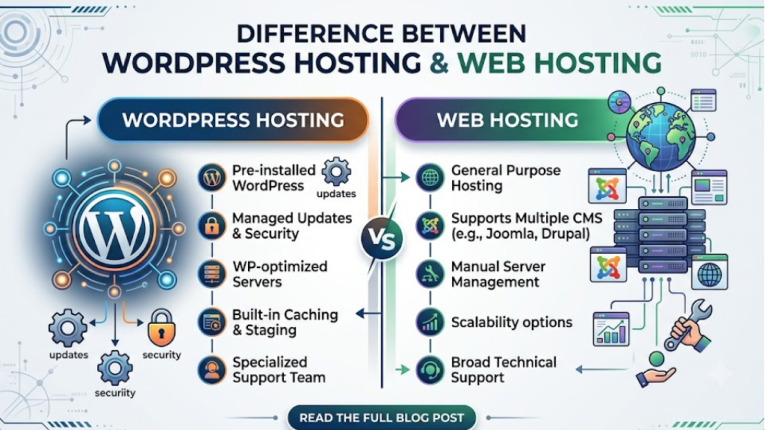
Many new users mistake WordPress Hosting and Web Hosting for the same thing. However, they differ in their purpose and features. The points below will help you easily understand the differences between them.
1. Optimization for WordPress
WordPress Hosting: Specifically optimized for WordPress websites.
Web Hosting: Not optimized for any single platform in particular.
2. WordPress Installation
WordPress Hosting: Offers a ‘One-Click WordPress Installation’ feature.
Web Hosting: This feature is available only in select hosting plans.
3. Updates
WordPress Hosting: WordPress updates are often automatic.
Web Hosting: In most cases, updates must be performed manually.
4. Technical Support
WordPress Hosting: Specialized technical support provided by WordPress experts.
Web Hosting: General hosting-related support is available.
5. Website Performance
WordPress Hosting: Delivers superior speed and performance for WordPress websites.
Web Hosting: Suitable for general websites.
6. Security
WordPress Hosting: Includes advanced security features tailored for WordPress.
Web Hosting: Provides standard security features.
7. Caching
WordPress Hosting: Caching functionality is pre-configured.
Web Hosting: Caching may need to be set up separately.
8. Ease of Use
WordPress Hosting: Easy for new users to operate.
Web Hosting: May require some technical knowledge.
9. CMS Support
WordPress Hosting: Designed primarily for WordPress.
Web Hosting: Supports Joomla, Drupal, and other CMS platforms in addition to WordPress.
10. Best Suited For?
WordPress Hosting: The best choice for blogs, business websites, portfolios, and WordPress-based sites.
Web Hosting: A better choice for various types of websites, custom applications, and users utilizing multiple CMS platforms.
Who should use WordPress hosting?
WordPress hosting is the best choice for those who want a fast, secure, and easy-to-manage website built on WordPress.
It is suitable for:
- Bloggers
- Small businesses
- Startups
- News websites
- Educational websites
- Portfolio websites
- Affiliate marketers
- WooCommerce online stores
- Agencies managing multiple WordPress websites
Conclusion
If you are planning to launch a WordPress website in 2026, choosing the right hosting is crucial. WordPress hosting is specifically designed for WordPress websites, offering superior speed, robust security, ease of management, and excellent performance.
In this article, you learned what WordPress hosting is, its types, pros and cons, the differences between WordPress hosting and general web hosting, and who should opt for WordPress hosting. Understanding these aspects allows you to select the right hosting solution based on your website’s specific needs and budget.
If you aim to build a fast, secure, and future-ready WordPress website, investing in quality WordPress hosting is a wise decision. The right hosting not only enhances your website’s performance but also plays a vital role in saving time and effort while contributing to your website’s long-term success.
Leave a Comment