- August 24, 2026
- Tejhaksh
- 0 Comments
- Software Development, Uncategorized
Best CRM Software in 2026: Top 10 CRM Tools Compared
Choosing the right customer relationship management (CRM) software can make a major difference in how a business manages leads, sales, customer communication, marketing, and long-term relationships. With hundreds of CRM platforms available today, finding the best option can be challenging—especially for small businesses, startups, sales teams, and growing companies.
In this guide, we compare the 10 best CRM software tools in 2026, looking at their key features, ideal use cases, pricing considerations, advantages, and limitations. Whether you need a simple CRM for a small business or a powerful platform for a large organization, this comparison can help you choose the right CRM for your needs.
What is CRM Software?
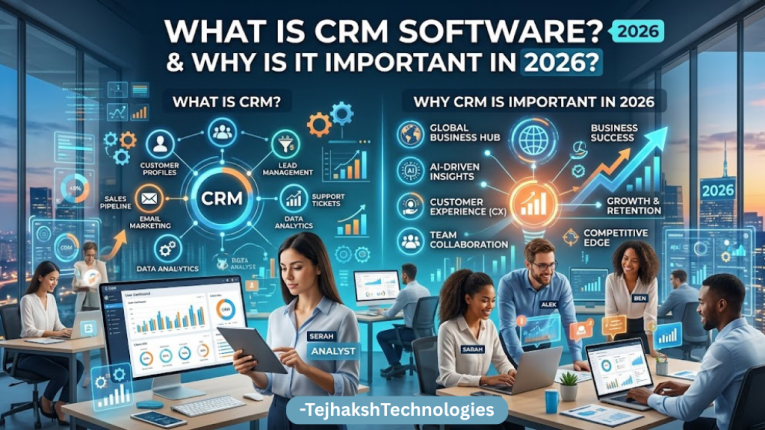
CRM stands for Customer Relationship Management. CRM software is a business tool that helps companies organize and manage interactions with current and potential customers.
Instead of keeping customer information across spreadsheets, emails, notebooks, and different applications, a CRM brings important information into one centralized system.
A typical CRM can help businesses manage:
- Customer contact information
- Leads and prospects
- Sales pipelines
- Follow-up activities
- Emails and communication
- Sales opportunities
- Marketing campaigns
- Customer support
- Reports and analytics
- Team tasks and collaboration
For businesses that deal with a large number of customers or leads, CRM software can save time and improve organization.
Why Is CRM Software Important in 2026?
Customer expectations are changing rapidly. Businesses need to respond quickly, personalize communication, and keep track of every customer interaction.
Modern CRM platforms are also becoming more intelligent, with automation and AI-powered features helping businesses reduce repetitive work.
Some of the major benefits of using CRM software include:
1. Better Customer Management
A CRM stores customer information in one place, allowing sales and support teams to quickly understand a customer’s history and requirements.
2. Improved Lead Management
Businesses can capture leads, assign them to sales representatives, track their progress, and identify opportunities that are more likely to convert.
3. Sales Pipeline Visibility
CRM software provides a visual overview of deals and sales opportunities, helping managers understand what is happening at every stage of the sales process.
4. Automation
Many CRM platforms can automate repetitive tasks such as follow-up reminders, email sequences, lead assignments, and notifications.
5. Better Reporting
CRM dashboards provide insights into sales performance, customer acquisition, conversion rates, revenue, and team productivity.
6. Improved Team Collaboration
When customer information is centralized, sales, marketing, and customer service teams can work with the same data.
Top 10 Best CRM Software in 2026
There is no single CRM that is perfect for every business. The best choice depends on your company size, budget, industry, sales process, required integrations, and technical requirements.
Here are 10 popular CRM platforms worth considering in 2026.
1. Salesforce
Salesforce is one of the most recognized CRM platforms in the world and is particularly popular among medium-sized and large organizations.
Salesforce provides a broad ecosystem covering sales, customer service, marketing, analytics, automation, and business applications.
Key Features
- Sales pipeline management
- Lead and opportunity management
- Customer service tools
- Marketing automation
- Workflow automation
- Analytics and reporting
- AI-powered capabilities
- Extensive integrations
- Customizable dashboards
Best For
Salesforce is particularly suitable for large businesses, enterprises, and organizations with complex CRM requirements.
Pros
Highly customizable
Extensive functionality
Large ecosystem
Powerful reporting and analytics
Suitable for complex sales processes
Cons
Can be complicated for beginners
May require training and customization
Costs can increase as businesses add features and users
Best for: Enterprises and growing organizations requiring a highly customizable CRM.
2. HubSpot CRM
HubSpot is well known for combining CRM functionality with marketing, sales, customer service, and content management tools.
Its user-friendly interface makes it attractive to startups and small businesses, while its broader ecosystem can also support larger companies.
Key Features
- Contact management
- Lead tracking
- Sales pipeline
- Email marketing
- Marketing automation
- Customer service tools
- Reporting dashboards
- Meeting scheduling
- Website and marketing integrations
Best For
HubSpot is a strong option for small businesses, startups, marketing teams, and companies looking for an easy-to-use CRM ecosystem.
Pros
User-friendly interface
Strong marketing features
Easy to get started
Useful free CRM capabilities
Good integration ecosystem
Cons
Advanced features can become expensive
Some features require higher-tier plans
Best for: Small and growing businesses that want CRM, marketing, sales, and customer service tools together.
3. Zoho CRM
Zoho CRM is a popular option for businesses looking for a feature-rich CRM at a competitive price.
It is part of the wider Zoho business software ecosystem, making it particularly useful for organizations already using other Zoho applications.
Key Features
- Lead management
- Contact management
- Sales automation
- Workflow automation
- Email integration
- Reports and dashboards
- Sales forecasting
- AI-assisted features
- Third-party integrations
Best For
Zoho CRM can be a good choice for small businesses, startups, and growing companies that want extensive functionality without moving to an enterprise-focused platform.
Pros
Broad feature set
Competitive pricing options
Strong automation
Large business software ecosystem
Suitable for different business sizes
Cons
Interface may take some time to learn
Advanced customization can require additional setup
Best for: Small and medium-sized businesses looking for a flexible CRM.
4. Pipedrive
Pipedrive focuses heavily on sales pipeline management. Its visual approach makes it easy for sales representatives to see where each deal stands.
The platform is designed around helping sales teams organize prospects and move opportunities through different stages.
Key Features
- Visual sales pipeline
- Lead management
- Deal tracking
- Sales activity management
- Email integration
- Workflow automation
- Sales reporting
- Mobile applications
Best For
Pipedrive is especially suitable for sales-focused teams and small to medium-sized businesses.
Pros
Simple interface
Excellent pipeline visualization
Easy to understand
Strong sales-focused features
Useful automation
Cons
Less comprehensive than some larger CRM ecosystems
Marketing functionality may not be the primary strength
Best for: Sales teams that want a simple and visual CRM.
5. Microsoft Dynamics 365
Microsoft Dynamics 365 combines CRM and business applications within Microsoft’s broader ecosystem.
It can connect with Microsoft products and is particularly relevant for organizations already using Microsoft business tools.
Key Features
- Sales management
- Customer service
- Marketing capabilities
- Business intelligence
- Workflow automation
- Customer insights
- AI-powered tools
- Microsoft ecosystem integrations
Best For
Microsoft Dynamics 365 is generally better suited to medium-sized and large organizations with more complex business processes.
Pros
Strong enterprise capabilities
Integration with Microsoft ecosystem
Powerful analytics
Highly customizable
Suitable for complex organizations
Cons
Can be complicated to configure
Implementation may require technical expertise
Can be more than a small business needs
Best for: Medium and large organizations that rely heavily on Microsoft products.
6. Freshsales
Freshworks offers Freshsales as a CRM platform designed to help businesses manage leads, contacts, deals, and sales activities.
Freshsales is part of the broader Freshworks ecosystem, which includes customer support and other business applications.
Key Features
- Lead management
- Contact management
- Deal management
- Email tracking
- Sales sequences
- Workflow automation
- Reports
- AI-assisted sales capabilities
Best For
Freshsales can work well for small and medium-sized businesses looking for a relatively straightforward sales CRM.
Pros
Easy-to-use interface
Good sales automation
Useful lead management
Integration with other Freshworks products
Cons
Some advanced functionality may require higher plans
Businesses with highly complex requirements may prefer enterprise-focused alternatives
Best for: Small and medium-sized businesses looking for a sales-focused CRM.
7. monday CRM
monday.com CRM builds customer relationship management features around a flexible work-management platform.
Its visual boards and customizable workflows make it attractive to teams that want to adapt the CRM to their existing processes.
Key Features
- Lead management
- Deal tracking
- Custom pipelines
- Workflow automation
- Dashboards
- Team collaboration
- Custom fields
- Integrations
Best For
monday CRM is suitable for teams that want a flexible and visual CRM combined with project and work management capabilities.
Pros
Highly visual
Flexible workflows
Customizable
Good collaboration features
Easy to adapt to different processes
Cons
Can require customization
Traditional CRM users may prefer dedicated sales platforms
Best for: Teams wanting CRM and work management in a flexible environment.
8. Bitrix24
Bitrix24 combines CRM with communication, project management, collaboration, and business tools.
This makes it interesting for businesses that want multiple functions within a single platform.
Key Features
- CRM
- Lead management
- Contact management
- Sales automation
- Project management
- Team communication
- Task management
- Marketing tools
- Reporting
Best For
Bitrix24 can be useful for small businesses and teams that want CRM alongside collaboration and project management features.
Pros
Broad functionality
Collaboration tools
CRM and project management together
Multiple business functions in one platform
Cons
Large feature set can feel overwhelming
Interface may require a learning period
Best for: Businesses that need CRM, project management, and team collaboration in one platform.
9. Insightly
Insightly combines CRM capabilities with project management functionality.
It allows businesses to manage customer relationships while also tracking projects and tasks connected to customers.
Key Features
- Contact management
- Lead management
- Opportunity management
- Project management
- Workflow automation
- Reporting
- Dashboards
- Integrations
Best For
Insightly can be a good choice for small and medium-sized businesses that need CRM and project management capabilities together.
Pros
CRM and project management combination
Customizable
Useful reporting
Suitable for growing teams
Cons
May not be the first choice for highly complex enterprise CRM requirements
Best for: Businesses that manage customer relationships and projects simultaneously.
10. SugarCRM
SugarCRM is a CRM platform focused on sales, marketing, customer service, and customer relationship management.
It offers customization and automation features for businesses that need more control over their CRM processes.
Key Features
- Sales automation
- Lead management
- Customer management
- Marketing automation
- Reporting
- Forecasting
- Workflow automation
- Customization
Best For
SugarCRM can be considered by medium-sized and larger organizations looking for customizable CRM functionality.
Pros
Strong customization
Sales and marketing capabilities
Automation
Reporting tools
Cons
May require more implementation effort
Can be more complex than simpler CRM solutions
Best for: Businesses looking for a customizable CRM platform.
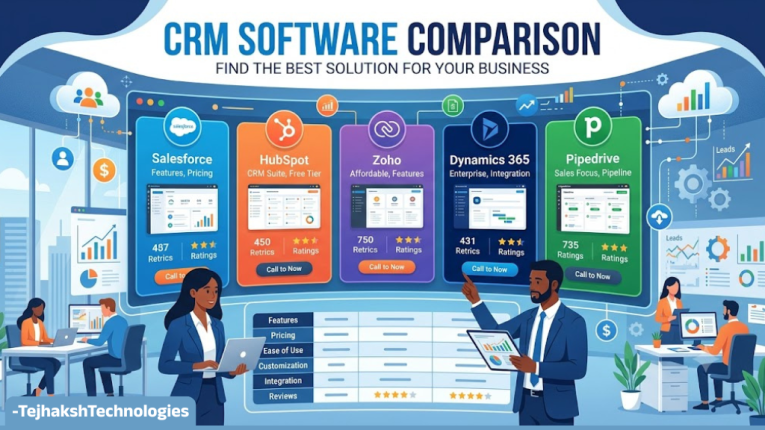
CRM Software Comparison
Salesforce
- Best For: Enterprises
- Main Strength: Customization and scalability
HubSpot CRM
- Best For: Startups and small to medium-sized businesses
- Main Strength: Ease of use and marketing features
Zoho CRM
- Best For: Small and medium-sized businesses
- Main Strength: Features and flexibility
Pipedrive
- Best For: Sales teams
- Main Strength: Visual sales pipeline
Microsoft Dynamics 365
- Best For: Enterprises
- Main Strength: Integration with the Microsoft ecosystem
Freshsales
- Best For: Small and medium-sized businesses
- Main Strength: Sales automation
monday CRM
- Best For: Flexible teams
- Main Strength: Custom workflows
Bitrix24
- Best For: Small businesses
- Main Strength: All-in-one business tools
Insightly
- Best For: Small and medium-sized businesses
- Main Strength: CRM and project management
SugarCRM
- Best For: Mid-market businesses
- Main Strength: Customization
How to Choose the Best CRM Software in 2026
Choosing the right CRM is about more than popularity. The ideal CRM depends on your business needs, budget, team size, and workflow.
Here are some important factors to consider:
1. Business Size
Small businesses should choose a CRM that offers the essential features they need while remaining simple, affordable, and easy to manage.
2. Budget
CRM pricing can vary significantly depending on the number of users, features, storage, integrations, and automation capabilities.
Before choosing a CRM, calculate your total expected cost rather than looking only at the starting price.
3. Ease of Use
A CRM is only useful if your team actually uses it. A complicated platform with hundreds of features may not be the best choice if your employees struggle to use it.
4. Sales Pipeline
If your business depends heavily on sales, make sure the CRM provides a pipeline that matches your sales process.
5. Automation
Automation can save your team significant time. Look for features such as automated follow-ups, task creation, lead assignment, notifications, and email sequences.
6. Integrations
Check whether the CRM integrates with the tools your business already uses, such as email platforms, accounting software, calendars, communication applications, websites, and marketing tools.
7. Reporting and Analytics
Good reporting can help managers understand sales performance and identify areas that need improvement.
8. Scalability
Your CRM should be able to grow with your company. Switching CRM platforms later can be expensive and time-consuming, so consider future requirements when making your decision.
AI and CRM Software in 2026
AI is playing a growing role in modern CRM software, helping businesses automate tasks and manage customer relationships more efficiently.
AI-powered CRM features can assist with tasks such as:
- Summarizing customer interactions
- Analyzing sales data
- Creating content
- Identifying potential opportunities
- Automating repetitive tasks
- Providing recommendations
- Improving customer communication
- Supporting sales forecasting
However, businesses should evaluate AI features based on their actual usefulness rather than choosing a CRM simply because it advertises AI capabilities.
Data privacy, security, accuracy, and integration with existing workflows should also be considered.
What Are the Benefits of Using CRM Software?
A properly implemented CRM can provide several long-term benefits.
Centralized Customer Data
Teams can access customer information from one place instead of searching through multiple systems.
Improved Productivity
Automation can reduce repetitive administrative tasks.
Better Customer Experience
Employees can access previous interactions and customer information, helping them provide more personalized service.
Increased Sales Visibility
Managers can monitor opportunities and understand how deals are progressing.
Better Decision-Making
Reports and analytics can help businesses make decisions based on actual sales and customer data.
Improved Follow-Ups
CRM reminders and automated workflows can help ensure that leads and customers do not get forgotten.
Common Mistakes to Avoid When Choosing a CRM
Businesses sometimes choose CRM software based on features alone. Here are some common mistakes to avoid.
- Choosing the cheapest CRM: The lowest price does not always mean the lowest total cost.
- Ignoring user experience: If employees find the software difficult to use, adoption may be poor.
- Buying too many features: Extra features can increase costs and complexity.
- Ignoring integrations: A CRM should work with your existing technology stack.
- Not planning for growth: Your CRM should support your future business needs.
- Failing to train employees: Even the best CRM can fail if users do not understand how to use it effectively.
Frequently Asked Questions About CRM Software
1. What is the best CRM software in 2026?
Ans. There is no universal best CRM for every business. Salesforce is a strong option for enterprises, HubSpot is popular for ease of use and marketing, Zoho CRM offers broad functionality, and Pipedrive is particularly focused on sales pipeline management.
2. Which CRM is best for small businesses?
Ans. HubSpot CRM, Zoho CRM, Pipedrive, Freshsales, and monday CRM are among the options small businesses can evaluate. The best choice depends on budget, features, team size, and business requirements.
3. Is CRM software worth it?
Ans. For businesses that manage multiple leads, customers, sales opportunities, or ongoing customer relationships, CRM software can be valuable because it centralizes data, improves follow-ups, supports automation, and provides better visibility into sales activity.
4. What should I look for in CRM software?
Ans. Important factors include ease of use, pricing, contact management, sales pipeline functionality, automation, reporting, integrations, security, customer support, and scalability.
5. Can CRM software help increase sales?
Ans. CRM software does not automatically increase sales, but it can help sales teams organize leads, track opportunities, automate follow-ups, identify potential deals, and measure performance. These capabilities can contribute to a more efficient sales process.
Final Verdict: Which CRM Should You Choose?
The best CRM software in 2026 depends on your business needs, budget, and team size. Salesforce is ideal for enterprises, HubSpot CRM for ease of use and marketing, Zoho CRM for flexibility, and Pipedrive for sales-focused teams. Microsoft Dynamics 365, Freshsales, monday CRM, Bitrix24, Insightly, and SugarCRM are also worth considering for different business requirements.
Before choosing a CRM, compare pricing, features, ease of use, integrations, automation, scalability, and customer support.
Ultimately, the best CRM is the one that fits your workflow, budget, and long-term business goals.

Leave a Comment