
- January 1, 2025
- Tejhaksh
- 0 Comments
- Mobile-Friendly Website
8 Common Mistakes to Avoid for a Perfect Mobile-Friendly Website

In today’s digital age, where tablets and smartphones are becoming an integral part of our daily lives, creating a Mobile-Friendly Website is no longer just an option – it’s a necessity. According to recent studies, mobile traffic now accounts for more than half of global web traffic, and this number is constantly growing. Mobile-Friendly Websites are crucial for providing a seamless user experience, improving search engine rankings, and boosting conversions.
How ever, you should Avoid to Common Mistakes when Creating a Mobile-Friendly Website. Many designers and general developers fall into a trap that can negatively impact performance and usability. If you’re planning to Design or Optimize a mobile-friendly website, you need to Avoid these Mistakes so that your site performs well on all devices.
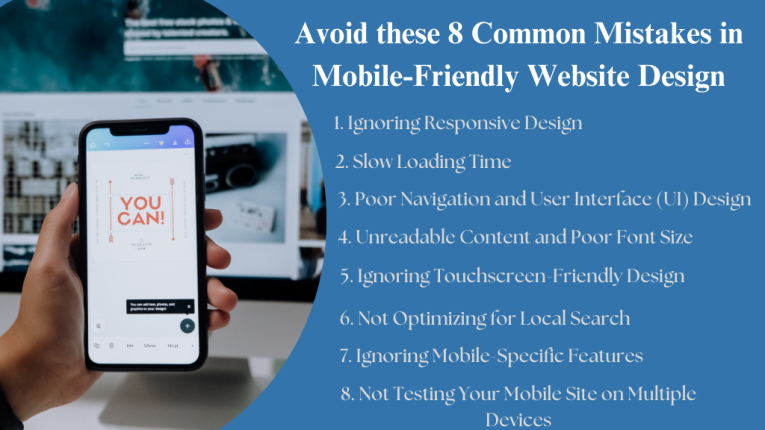
Avoid these 8 Common Mistakes in Mobile-Friendly Website Design
Here we will discuss the mistakes you should avoid while Creating a Mobile Friendly Website and the ways to fix them.
1. Ignoring Responsive Design
Responsive design is one of the most important factors in creating a mobile-friendly website. It determines whether your website is mobile friendly and automatically adjusts to the screen size of all devices, from smartphones to tablets and desktops. Unfortunately, many websites still use fixed-width layouts, which are not optimized for mobile use. This results in a frustrating user experience, as visitors have to scroll horizontally or zoom in to read content.
Why it’s a Mistake:
- User experience (UX) is affected: Users will have difficulty navigating the site or viewing content properly on their mobile device.
- SEO impact: Google prioritizes the most responsive websites and ranks them higher in search results. If your site isn’t properly responsive, it can hurt your search engine visibility.
Solution:
To Avoid this Mistake and Make our Website Mobile-Friendly, we should always use a responsive design framework like Bootstrap or CSS Media Queries. These tools automatically adjust the content based on the screen size of the device, ensuring that your website looks good on any device.
2. Slow Loading Time
In today’s fast-paced mobile browsing environment, users expect websites to load quickly. Sources have shown that 53% of visitors abandon a website if it takes longer than three seconds to load. Mobile websites often have unoptimized images, too many scripts, or large file sizes that take time to load the page.
Why this is a mistake:
- High bounce rates: Websites with slow page loading times cause visitors to leave our site before they can engage with our content.
- SEO impact: Ignoring page loading speed can be detrimental to Google rankings. Page loading speed is an important ranking factor for Google, so slow loading times can hurt your search engine optimization.
Solution:
To ensure faster load times, focus on optimizing videos and images by compressing them without compromising quality. Use lazy loading techniques to load images only when they are needed, and minimize the use of heavy scripts. Tools like Google’s PageSpeed Insights help analyze your site speed and provide actionable suggestions to improve it.
3. Poor Navigation and User Interface (UI) Design
Navigation is critical to the user experience. This complex navigation and indexing create additional challenges for designing easy-to-use Navigation Menus on Mobile Devices, Small Screens, and Touch Interfaces. It is a Common Mistake to place too many options on a mobile screen or use complex dropdowns, making it difficult to interact on a smaller device.
Why it’s a mistake:
- User frustration: If users can’t easily find what they’re looking for on a site, they’re likely to leave the site.
- Lowers Credibility: Poor Navigation can directly impact conversion rates, as users can’t easily complete desired actions, such as making a purchase or filling out a contact form.
Solution:
Simplify your Navigation Menus for Mobile Users. Hamburger menus (the three-line icon) are popular on mobile devices because they save space and hide less frequently used options. Focus on the most important elements of your site and make sure your buttons are large enough for users to tap easily.
4. Unreadable Content and Poor Font Size
Content that is too small to read on mobile screens is one of the common complaints of mobile users. Many websites use small fonts or fixed font sizes that are difficult to read on small devices. Also, having too much content on a single page without considering the limitations of mobile screens can be frustrating for the user.
Why it’s a mistake:
- Poor Mobile Menu Design: Small text can make it difficult for people with visual impairments to engage with your content.
- Low Engagement: Users are more likely to leave your site if they have to zoom in repeatedly to read your text, and that’s where the user Lack of Accessibility.
Solution:
You must first make sure that your Font Size, Style and Color are scalable and readable. Instead of using fixed pixel values for font sizes, choose relative units such as em or rem. Line height and letter spacing should also be optimized for readers. You should also make sure that there is enough space between elements to create a clean and easy to read layout.
5. Ignoring Touchscreen-Friendly Design
Mobile Devices Primarily use Touchscreens, which means your website’s interaction should be optimized for touch gestures. Too small buttons, too close links, or forms that are difficult to fill out on a touchscreen can lead to a poor user experience.
Why is My Website not Mobile Friendly?:
- Poor Web Design Hurts Sales: Poor web design has a huge impact on sales. Mobile users may click on the wrong links or struggle to fill out forms, which can lead to frustration.
- Lower Conversions: Poor Design Alienates your Audience. If users cannot interact with your website efficiently, they may leave your site or fail to complete a transaction.
Solution:
Make sure clickable elements such as buttons, links, and form fields are large enough to be easily tapped. When considering touch targets, follow Apple and Google’s guidelines for screen sizes, which recommend a minimum size of 44×44 pixels for touch targets. Also, make sure there is enough space between clickable elements to avoid accidental taps.
6. Not Optimizing for Local Search
Mobile users frequently SERPs (Search Engine Result Pages)
Easily find local businesses or services in your vicinity. Not Having a Clean User Interface Failing to optimize your website for local search can result in missed opportunities, as users may not find your website when they search for local products or services.
Why it’s a mistake:
- Loss of local traffic: Mobile users tend to search for information while on the go. If your site isn’t optimized for local search, you may miss out on a significant portion of potential customers.
- Impact on search visibility: SERPs (Search Engine Result Pages) Google prioritizes mobile-friendly, local search-optimized websites in search rankings.
Solution:
Optimize your website for local search by incorporating location-based keywords and adding your business to Google My Business. Additionally, include your address, phone number, and other location-related information on your website to help search engines understand your business’s geographical relevance.
7. Ignoring Mobile-Specific Features
Ignoring mobile SEO devices offer unique capabilities that can improve the user experience, such as GPS, camera integration, and mobile-friendly forms. Ignoring these Features means Losing the Opportunity to provide a more personalized and interactive experience for your visitors.
Why it’s a mistake:
- Missed Engagement Opportunities: Mobile-specific features, such as location-based services or mobile-friendly contact forms, can significantly improve user engagement.
- Poor User Experience: Users Expect Certain Features on Mobile Websites, and not providing them can lead to a negative experience
Solution:
Consider incorporating mobile-specific features into your website. For example, use location-based services to help users find nearby stores or use click-to-call options for easier contact. And you can also enable camera access for product scanning or form submissions, making your site more interactive and user-friendly.
8. Not Testing Your Mobile Site on Multiple Devices
Even if you design your website to be mobile-friendly, it is important to test it on a variety of mobile devices to ensure stability. Different smartphones and tablets come with different device screen sizes, operating systems, and performance capabilities. Not testing on these devices can result in a poor or inconsistent user experience.
How Can a Poorly Designed Website Affect Your Business?
- Device-specific issues: What works on one device may not work well on another, overloading the screen with content can lead to design inconsistencies.
- Loss of customers: Users may leave your site if they have issues with their device, which can result in loss of traffic and conversions.
Solution:
Test your website on multiple devices, including tablets, smartphones, and desktops, to make sure it works well on all screen sizes. Tools like BrowserStack or Google Chrome’s Mobile Emulator can help you simulate different types of devices and screen sizes for testing.
Conclusion
Creating a Mobile-Friendly Website is crucial to attracting and retaining users in today’s mobile-first world. By Avoiding These Common Mistakes – such as Neglecting Responsive Design, Slow Load Times or Poor Navigation – you can ensure that your website provides a seamless and engaging user experience across all devices.
Taking the time and effort to optimize your mobile website will not only improve user satisfaction, but also boost your search engine rankings and increase conversions. Be sure to constantly test and update your website as new devices and Design Trends Emerge to Ensure your Site stays Mobile-Friendly and Up-To-Date.
Follow these Guidelines to help you create a website that meets the needs of today’s Mobile Users.

Leave a Comment